Import operations
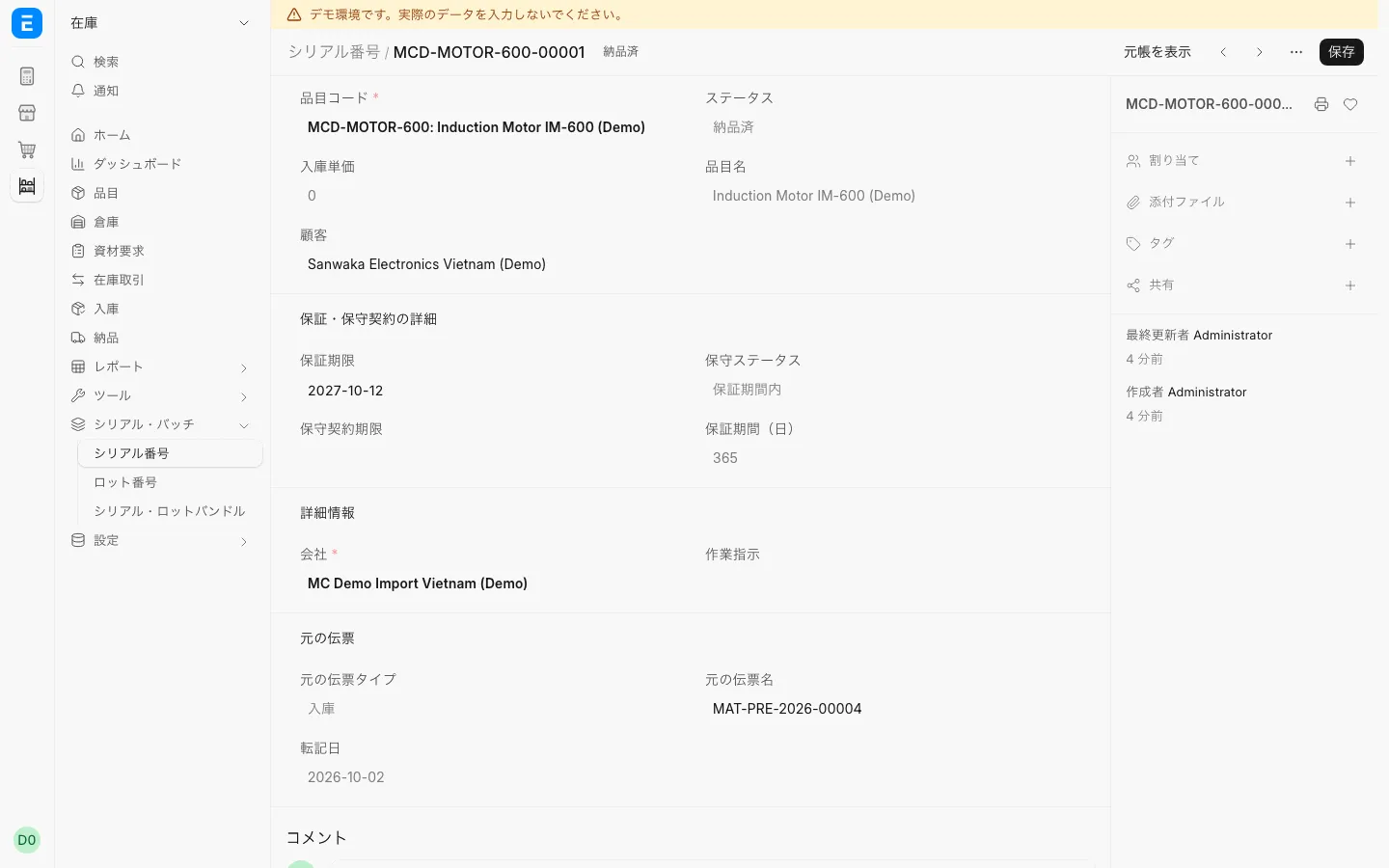
Warranty by serial number: from warehouse receipt to warranty claim
About 3 min read

Work in Japanese, Vietnamese and English on the same data. Built on ERPNext for import and sales work.
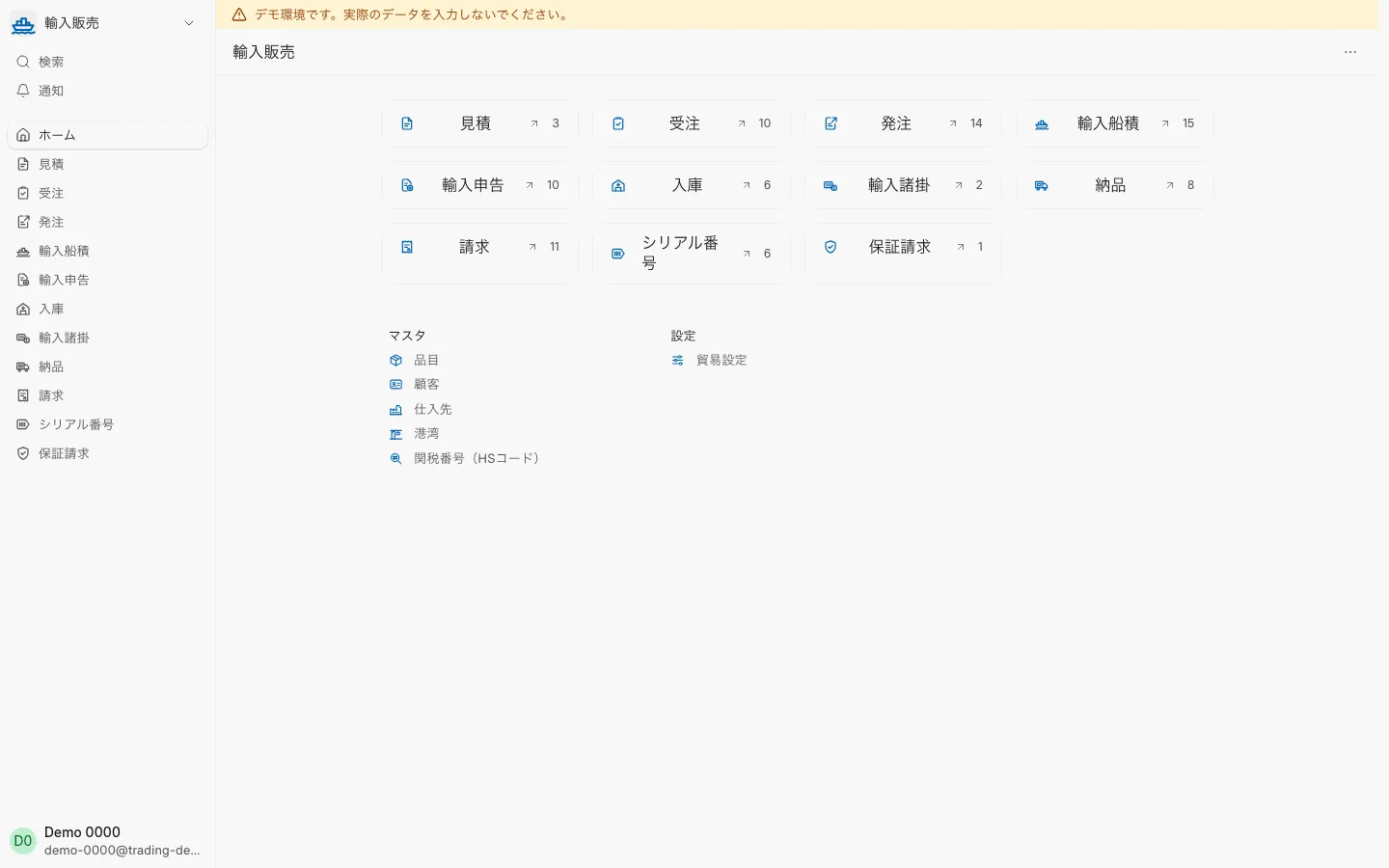
Guidance by industry and location.
Manage, in one system, the import of equipment and parts from Japan to Vietnam and their sale. Japanese staff work in Japanese and Vietnamese staff in Vietnamese, on the same data.
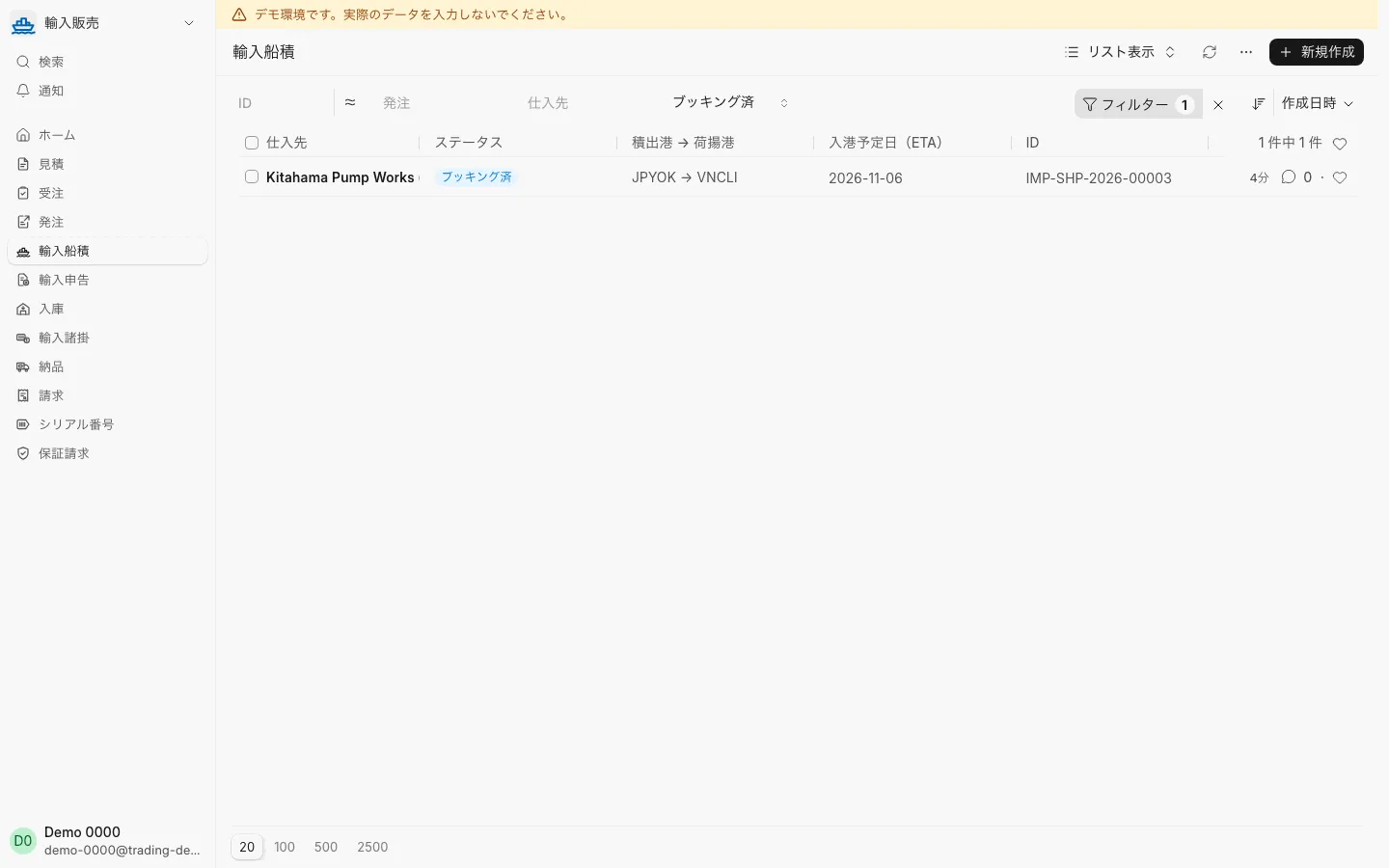
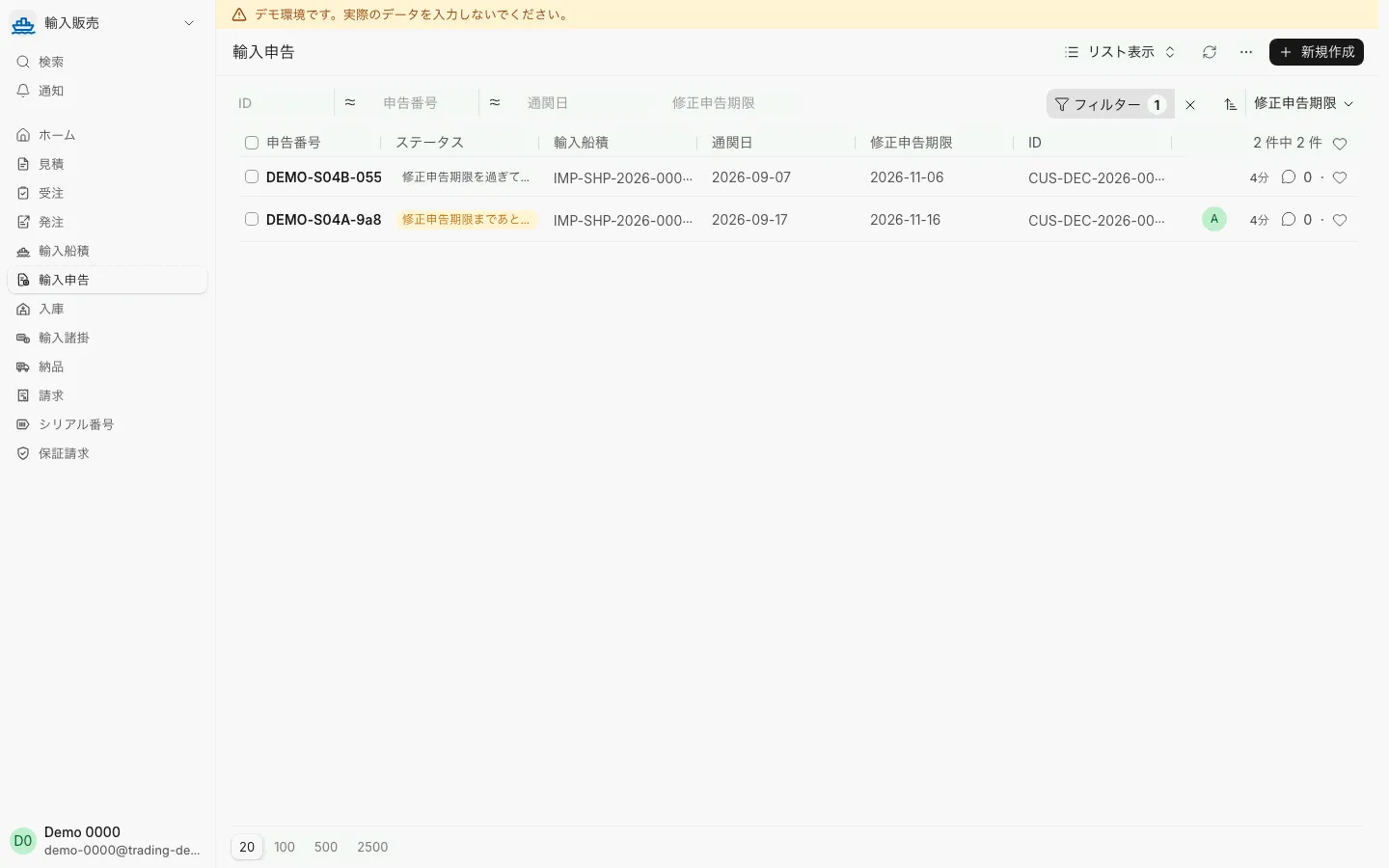
List of booked import shipments
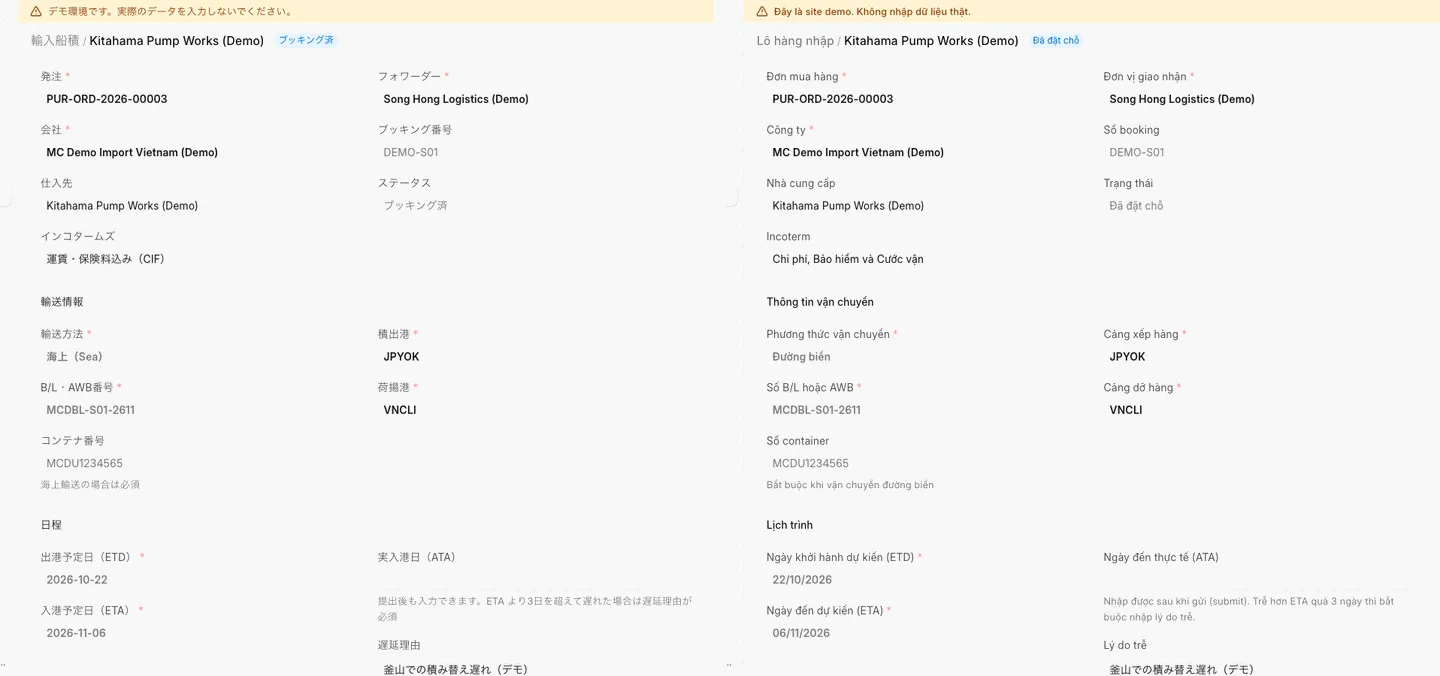
Import shipment management, including vessel, port, ETD/ETA and containers
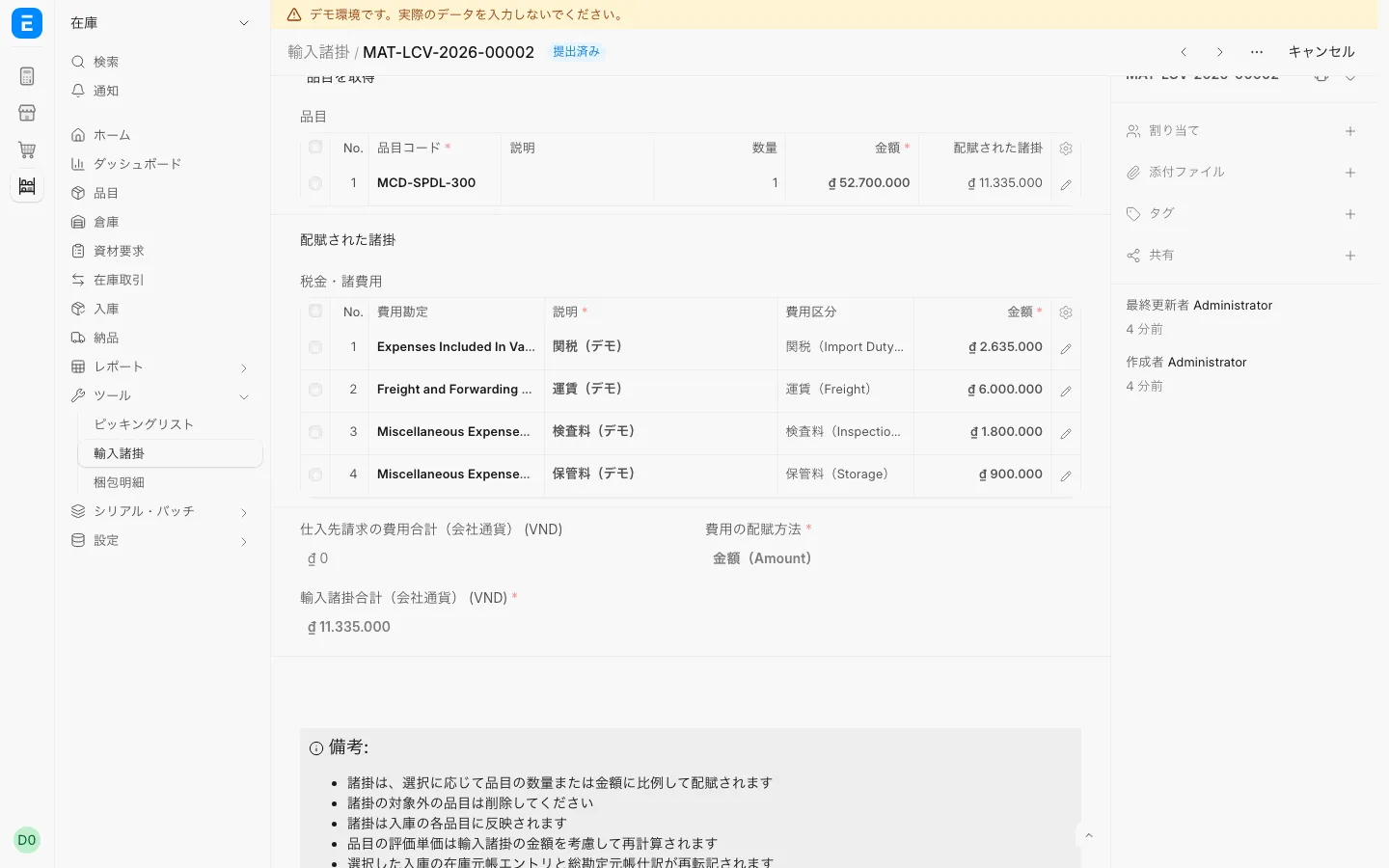
Landed cost with inspection and storage fees
Allocation of the duties calculated on import declarations and the freight added as import charges to each item's cost
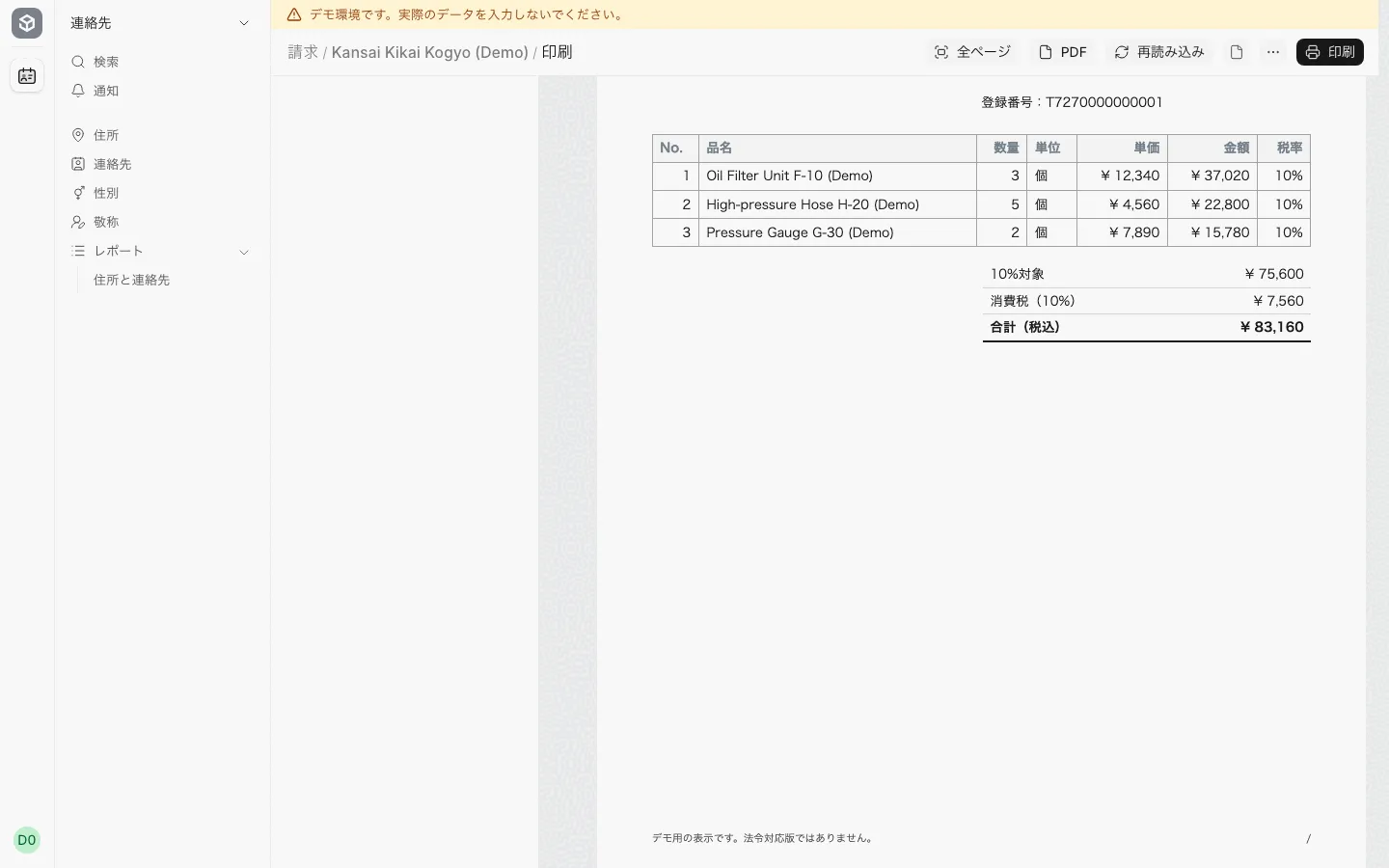
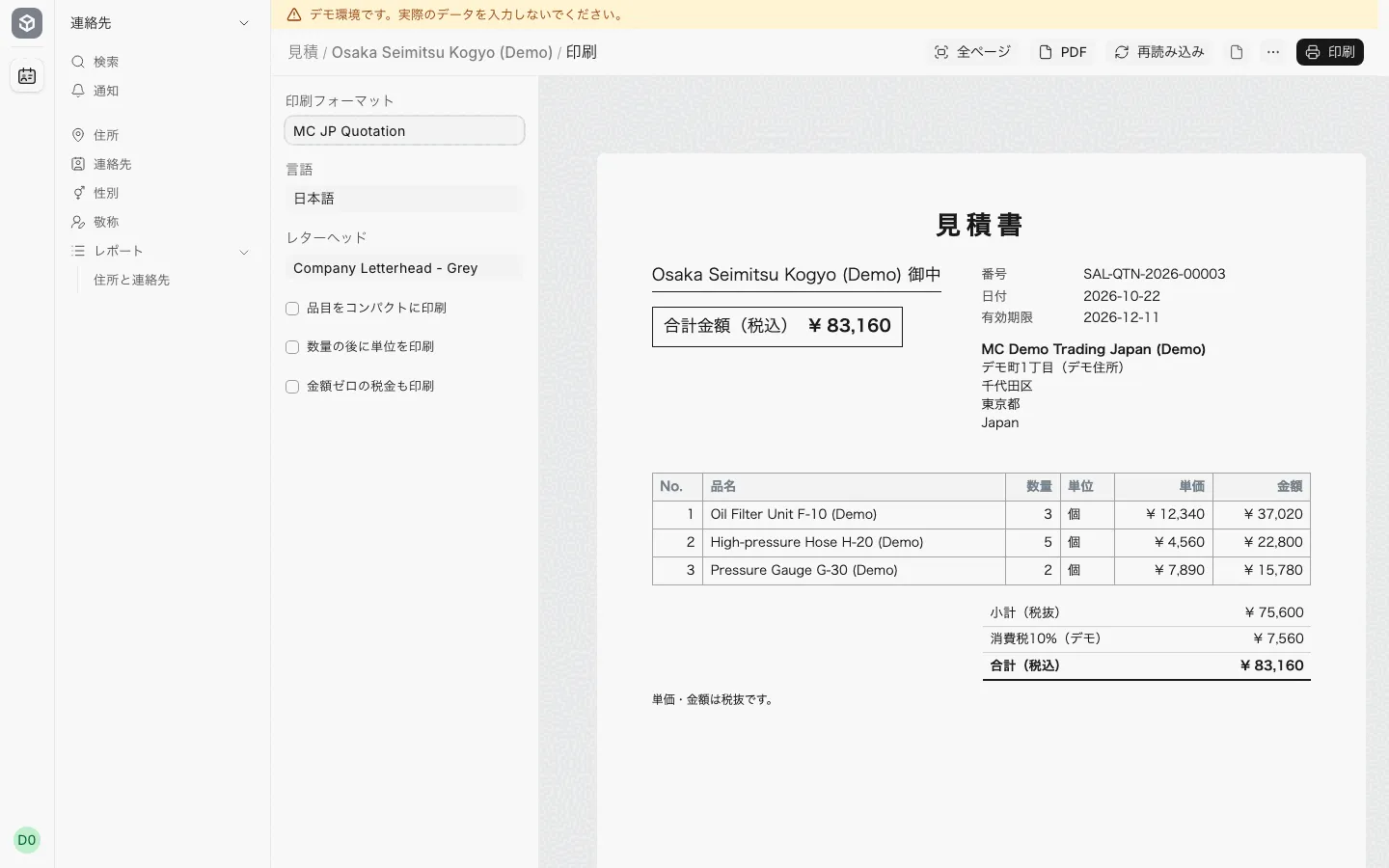
Invoice print sample
Japanese-style print layouts (PDF) for quotations, delivery notes and qualified invoices
Information for small shops is being prepared. If you are interested, please register and we will contact you when it is ready.
Each user picks Japanese, Vietnamese or English and sees the same documents.
Print quotes, delivery notes and qualified invoices in a Japanese format (the demo formats are samples).
From import shipments and customs declarations to allocating duty and freight to each item’s cost.
Use the same screens in a phone browser.
Japanese companies importing and selling in Vietnam
Every area below has real screens you can check.
From quote to order to delivery in one flow.
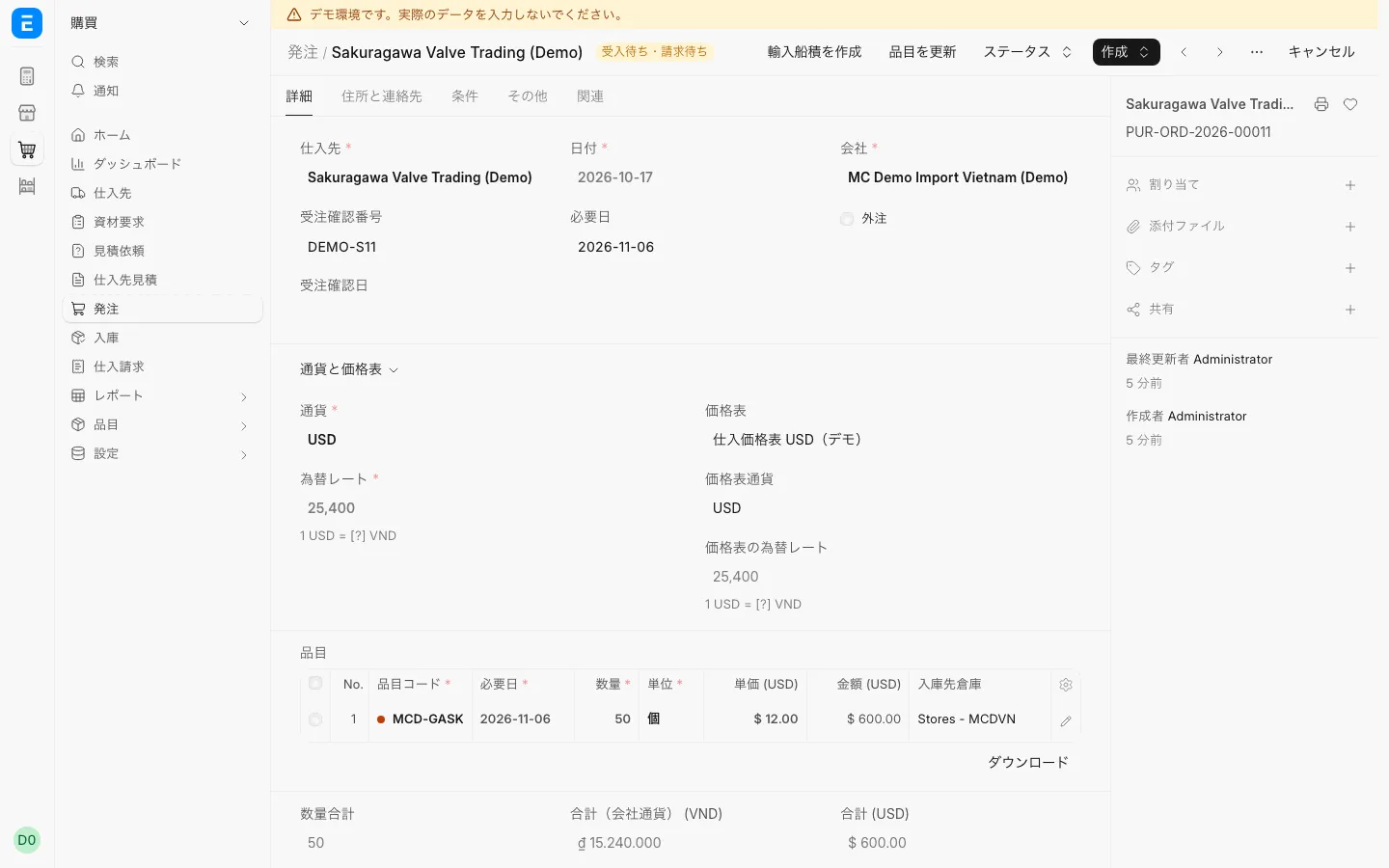
Record purchase orders and supplier invoices in yen or US dollars.
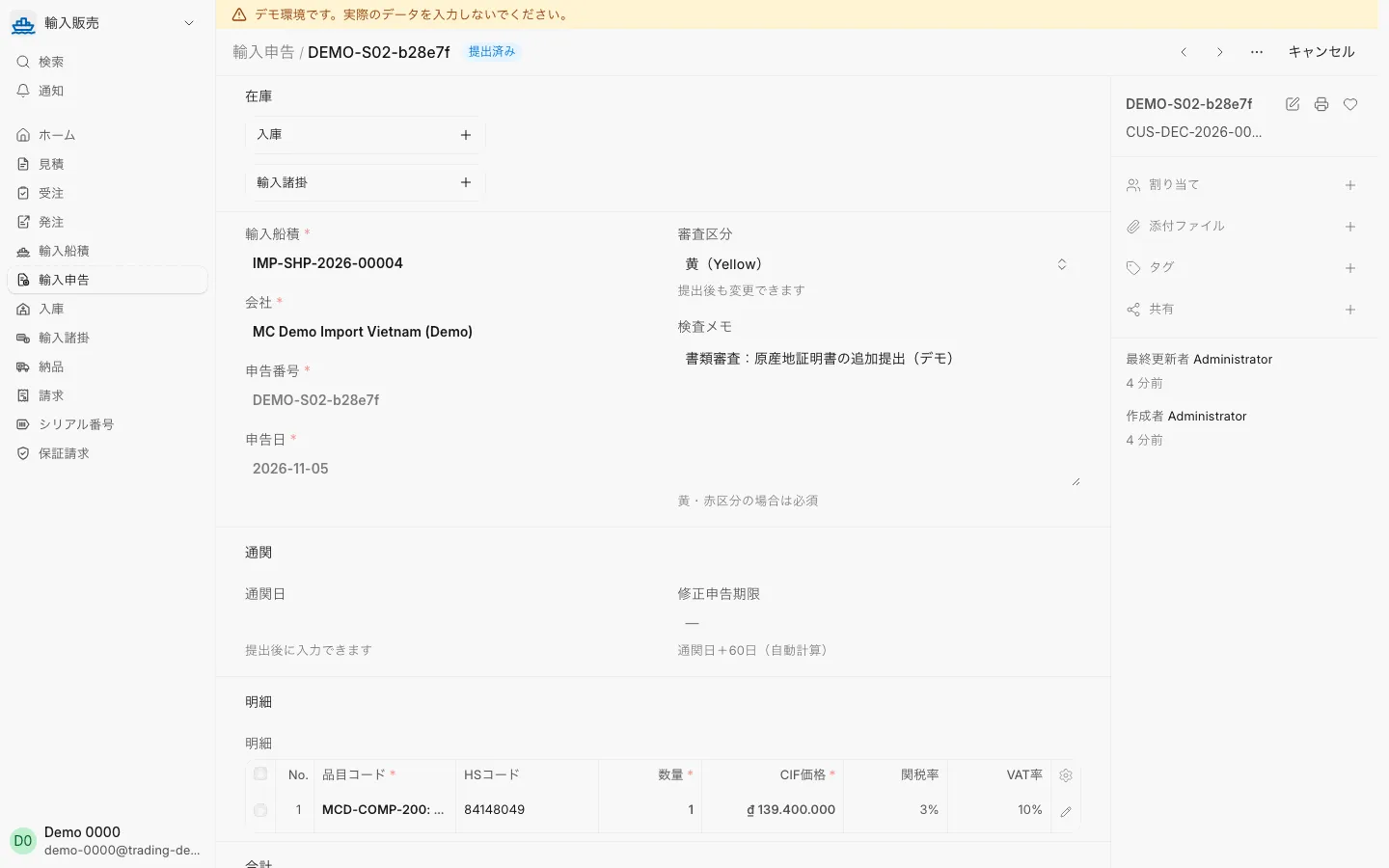
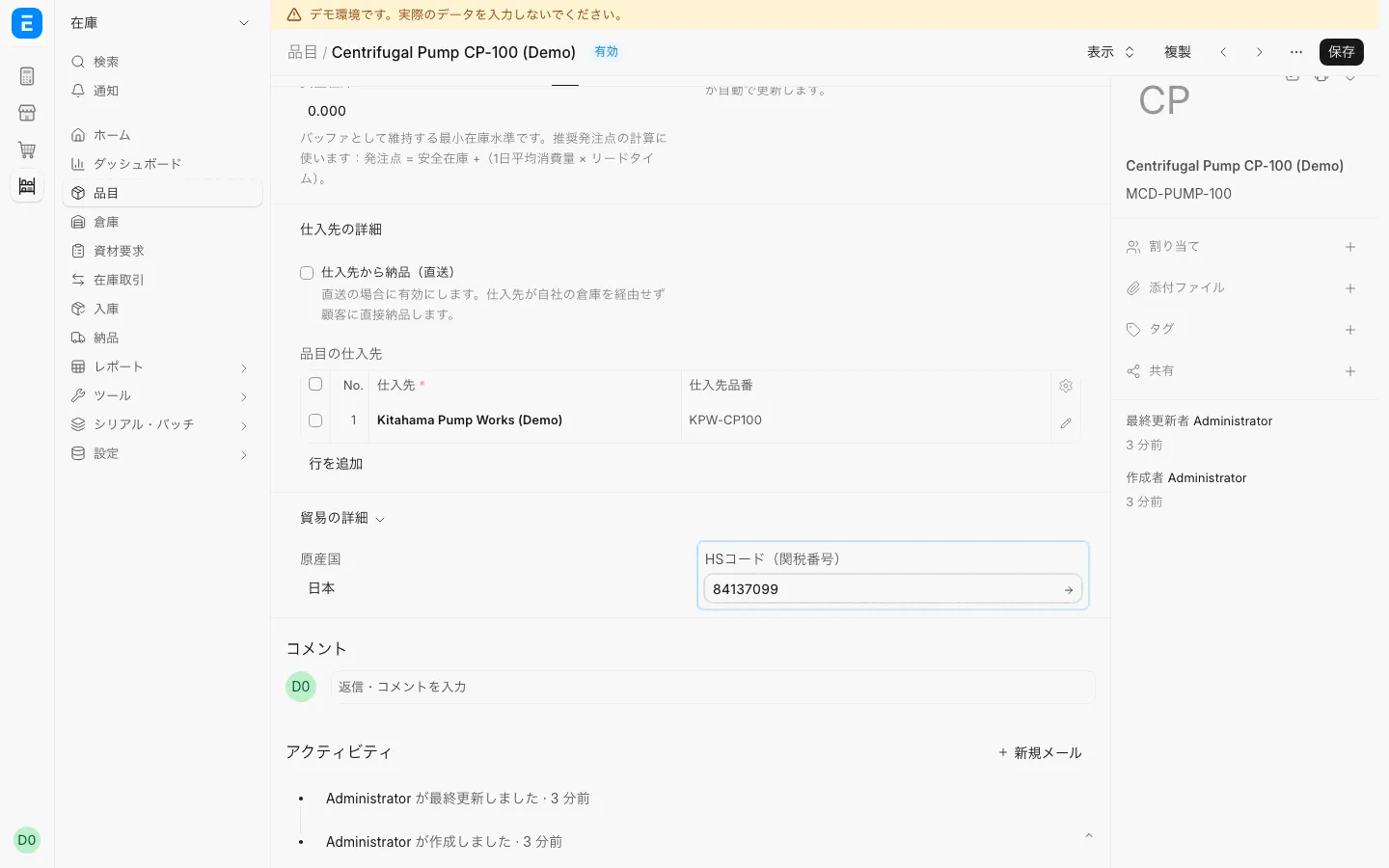
Record shipments, customs declarations and HS code approval.
Receive stock and register serial numbers, including partial receipts.
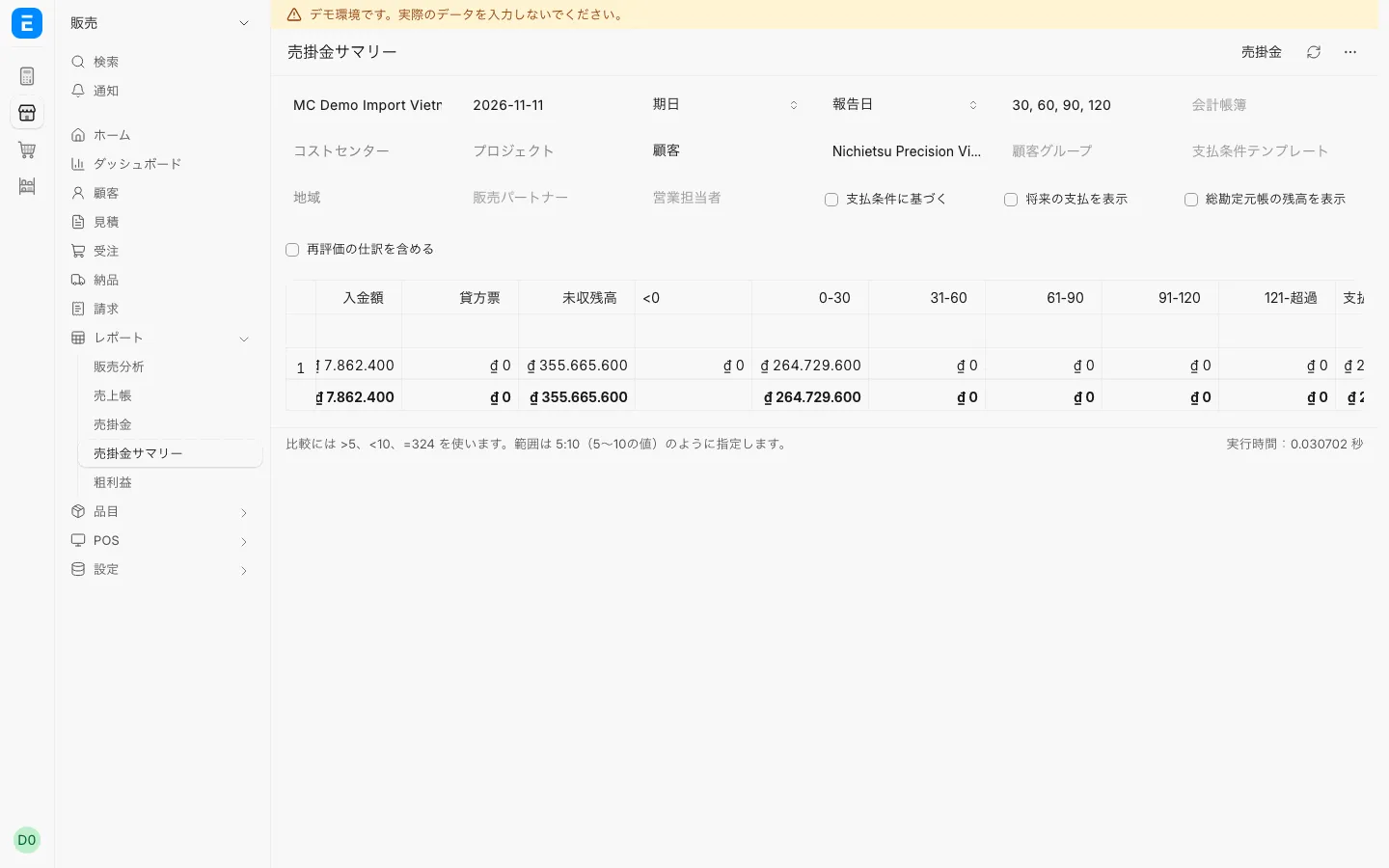
Check invoices, payments received, receivables and gross profit.
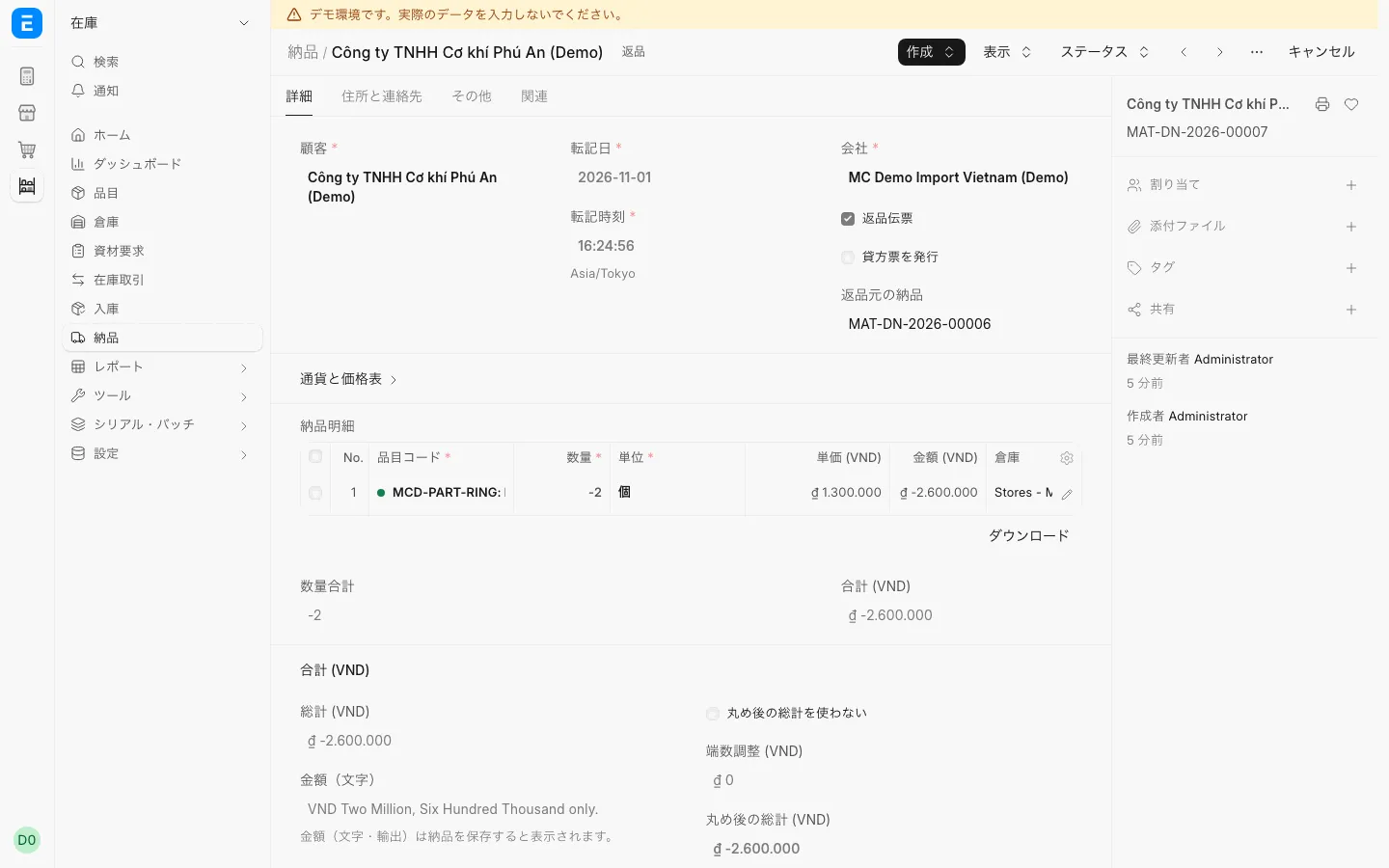
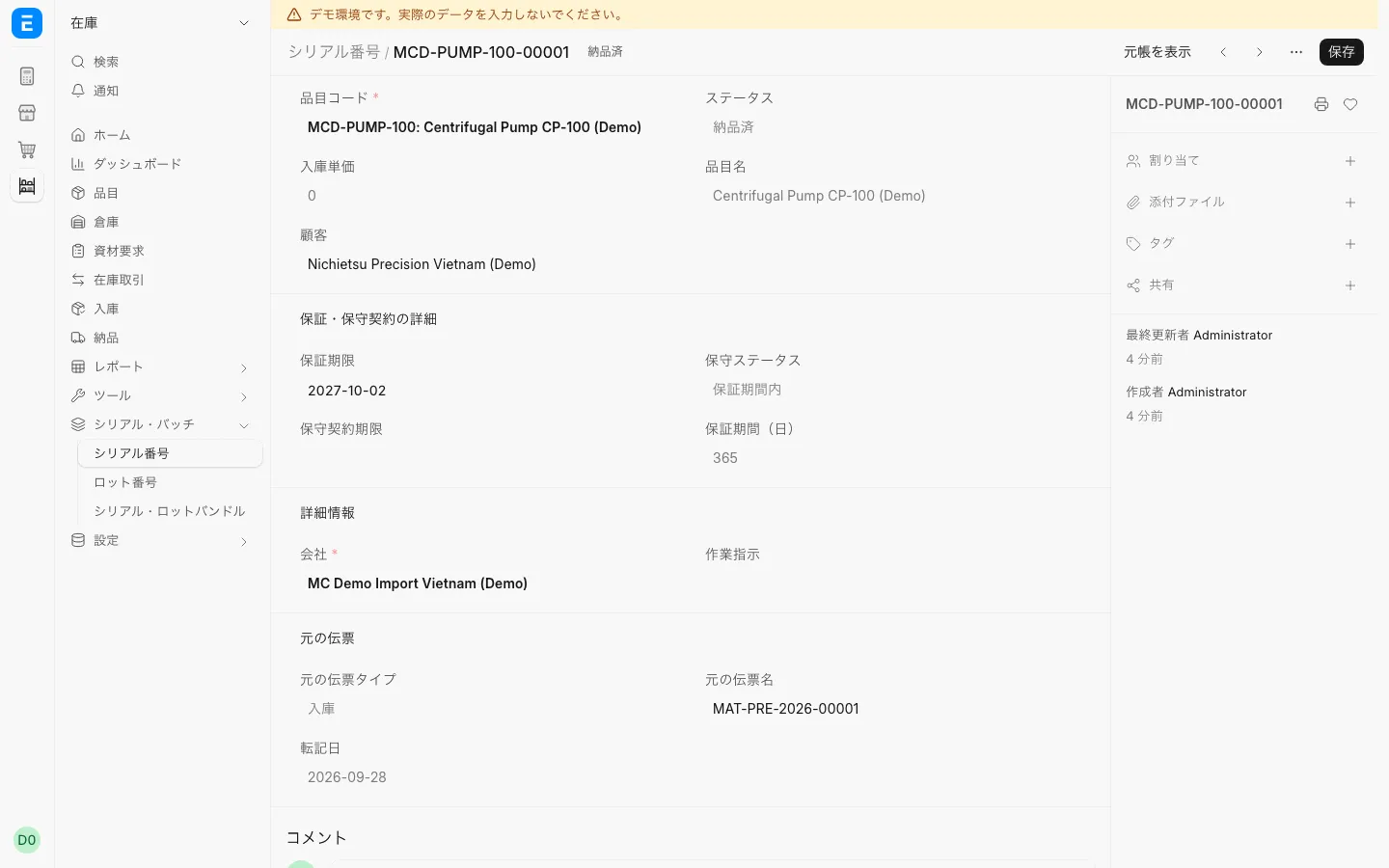
Check warranty by serial number and record returns.
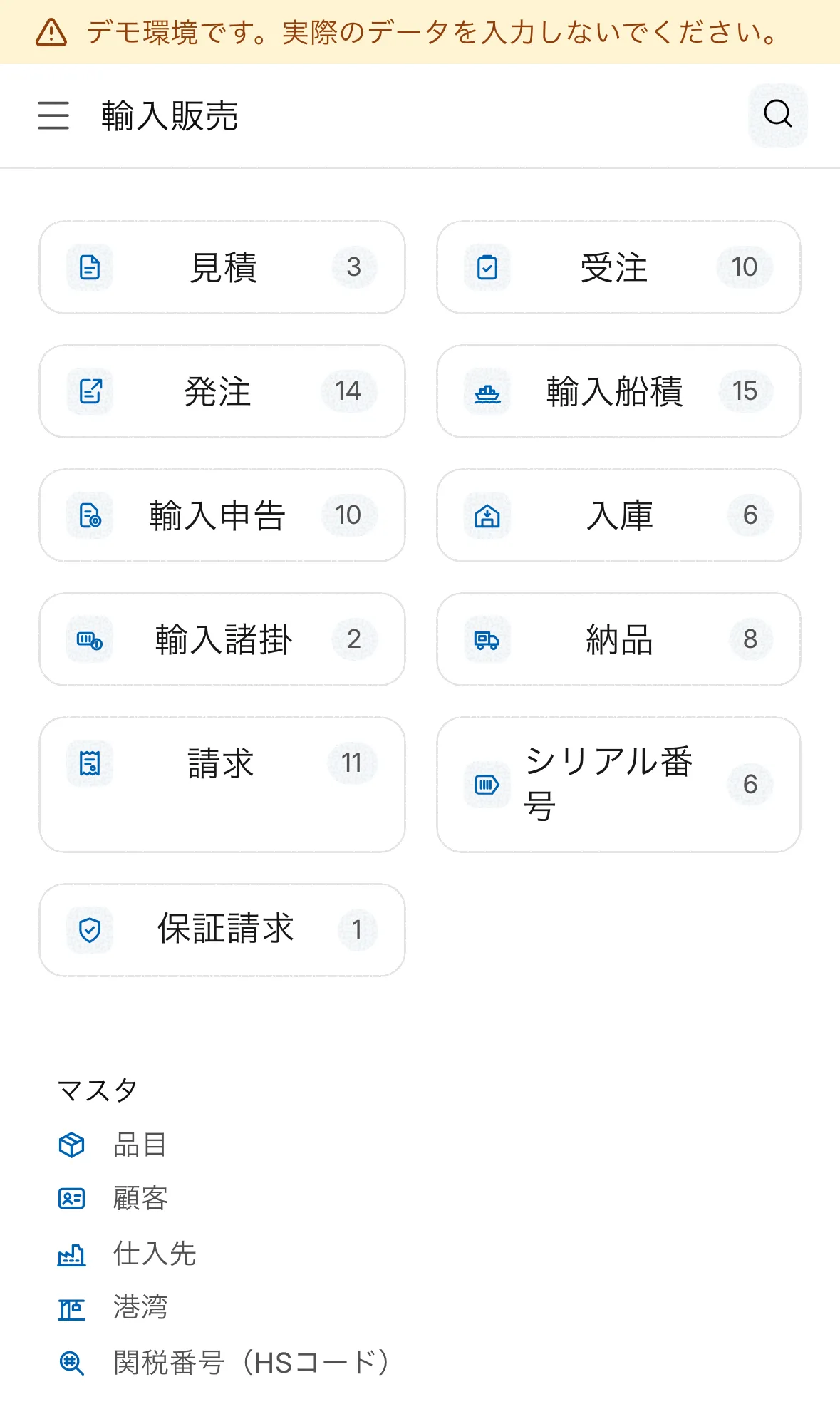
Use the same screens in a phone browser.
Select a step to see the real screen.
Quote
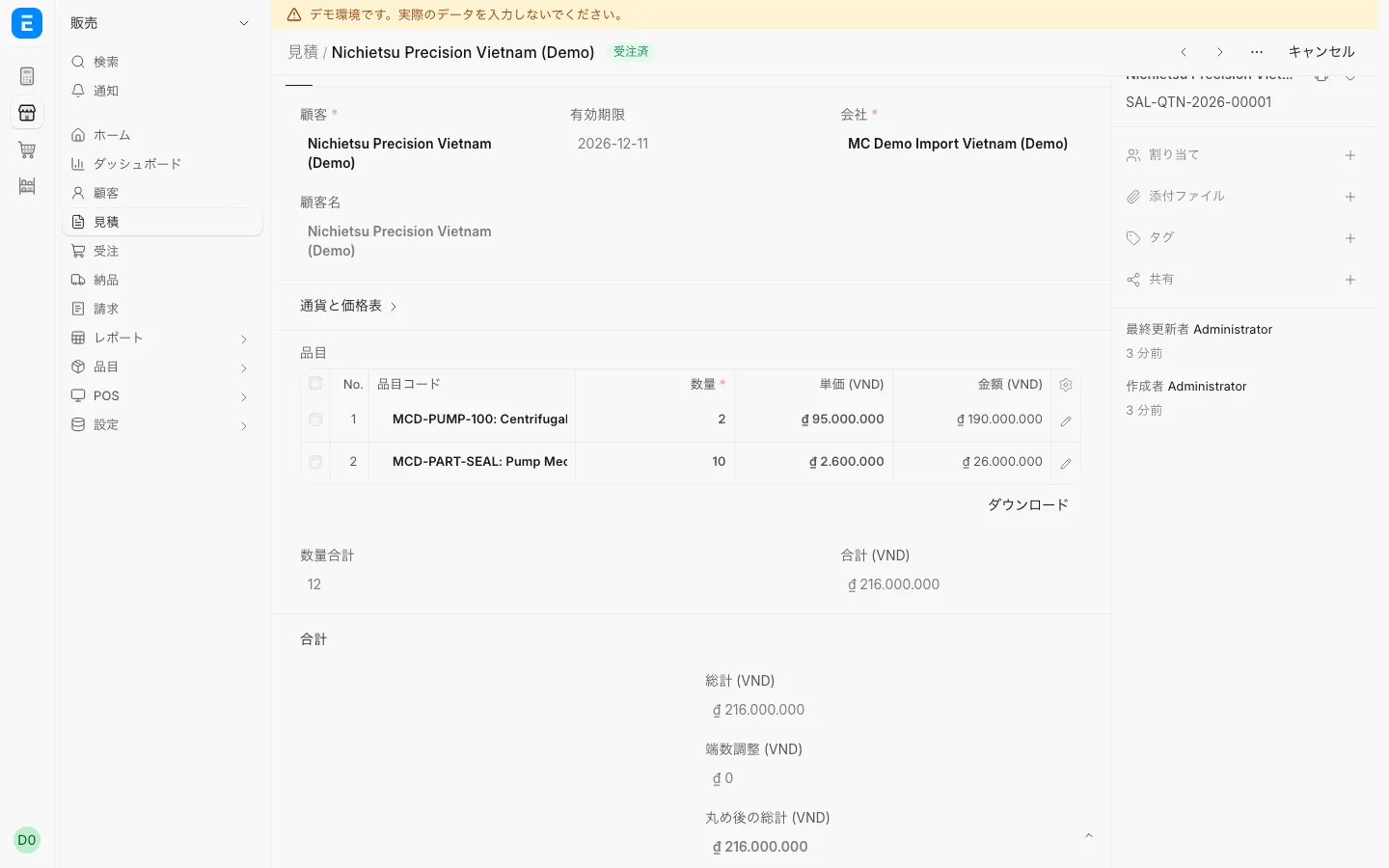
Build a quote and print it in a Japanese format.
Sales order
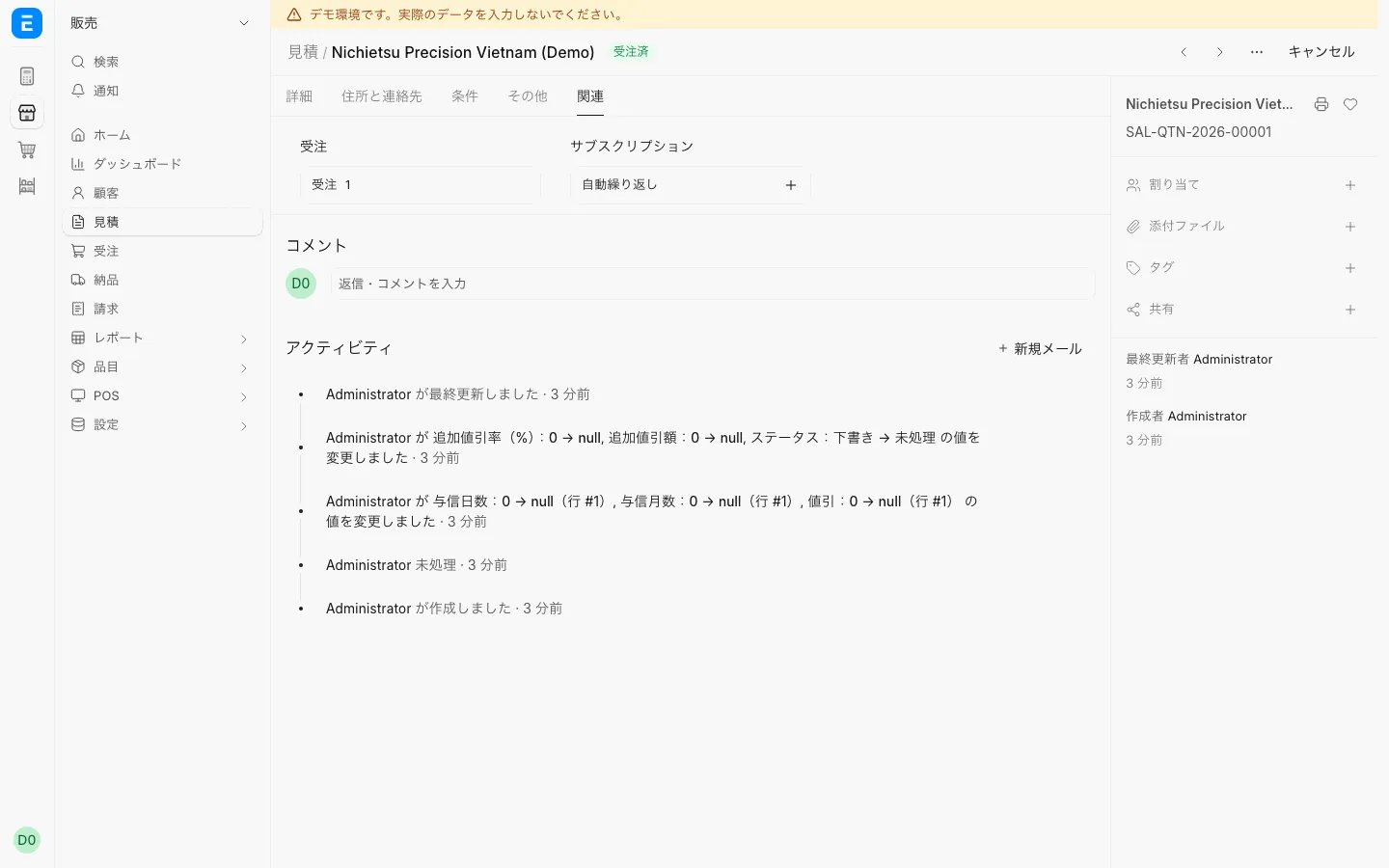
Create a sales order from the quote; it links back to the quote.
Purchase order
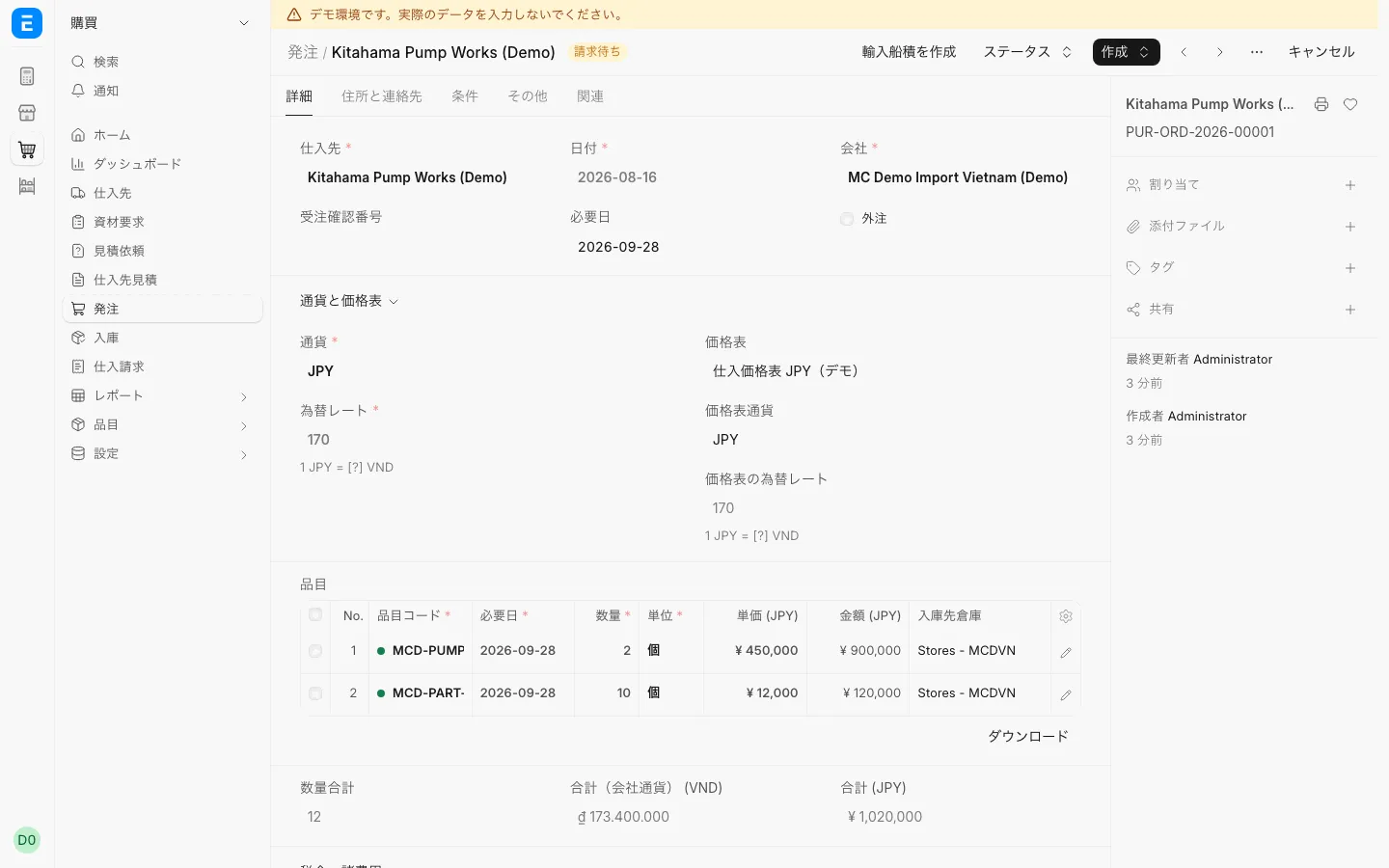
Create a yen purchase order from the sales order; each line links back.
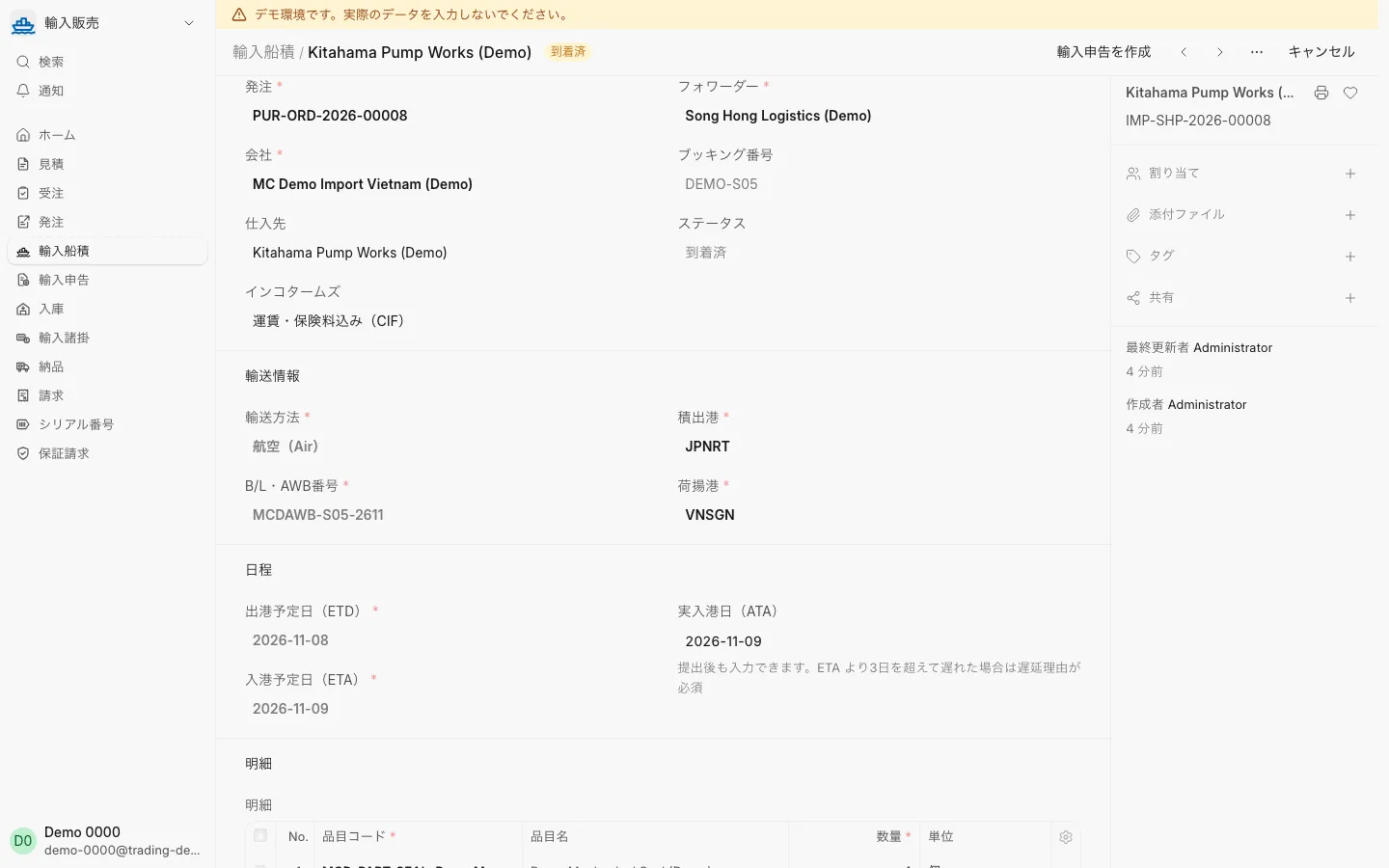
Import shipment
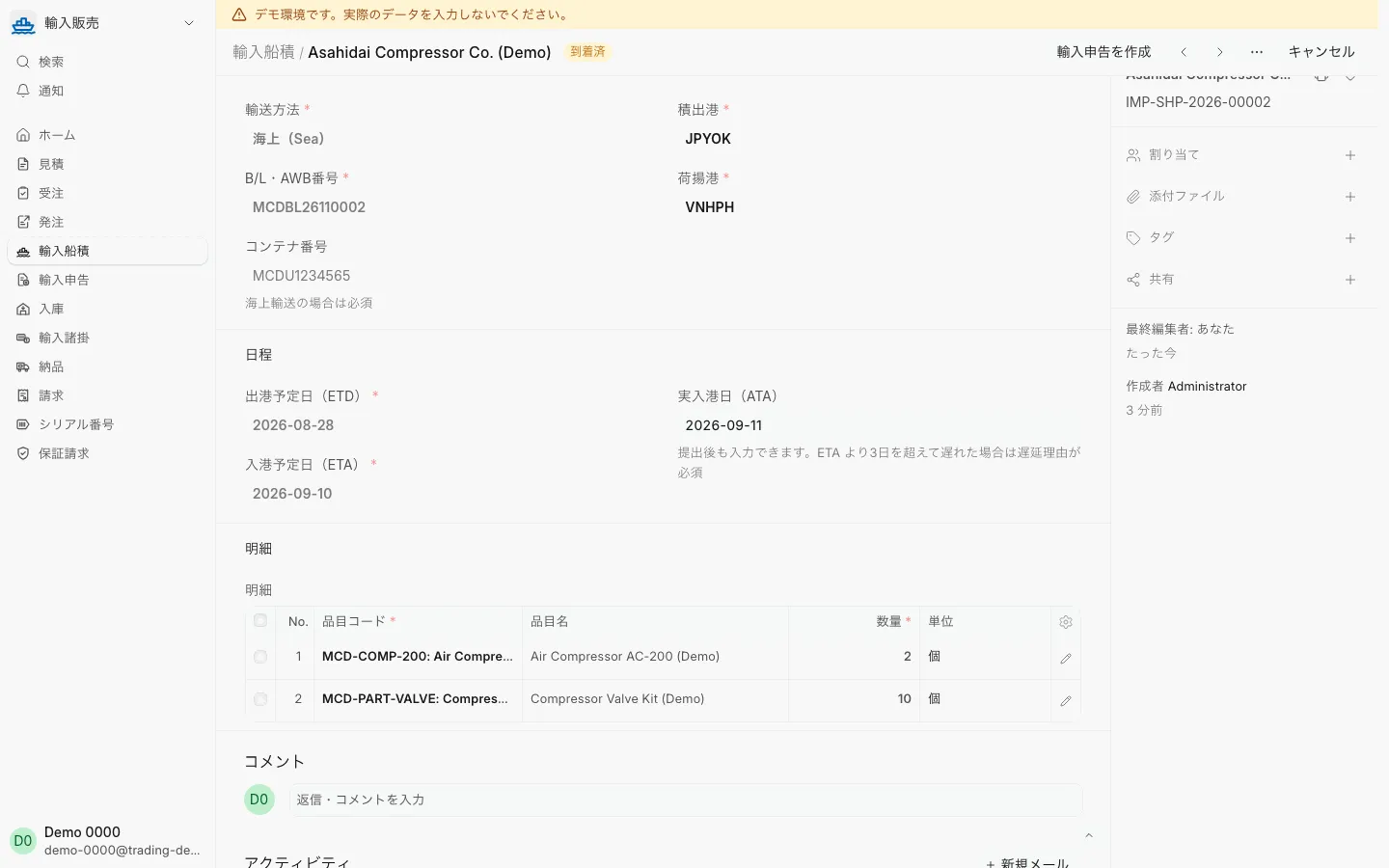
Enter the actual arrival date; the shipment is marked arrived and a declaration can be created.
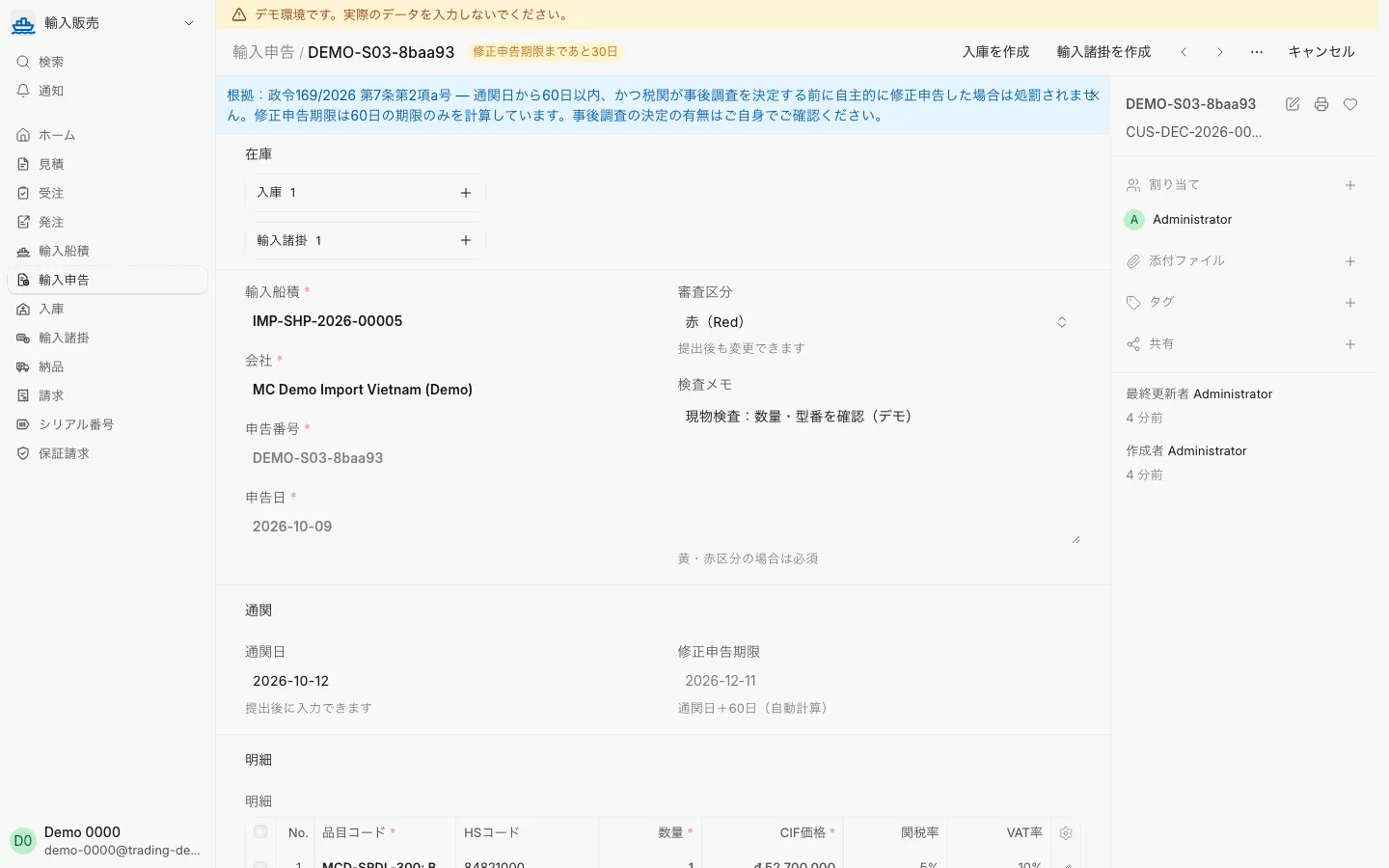
Customs declaration
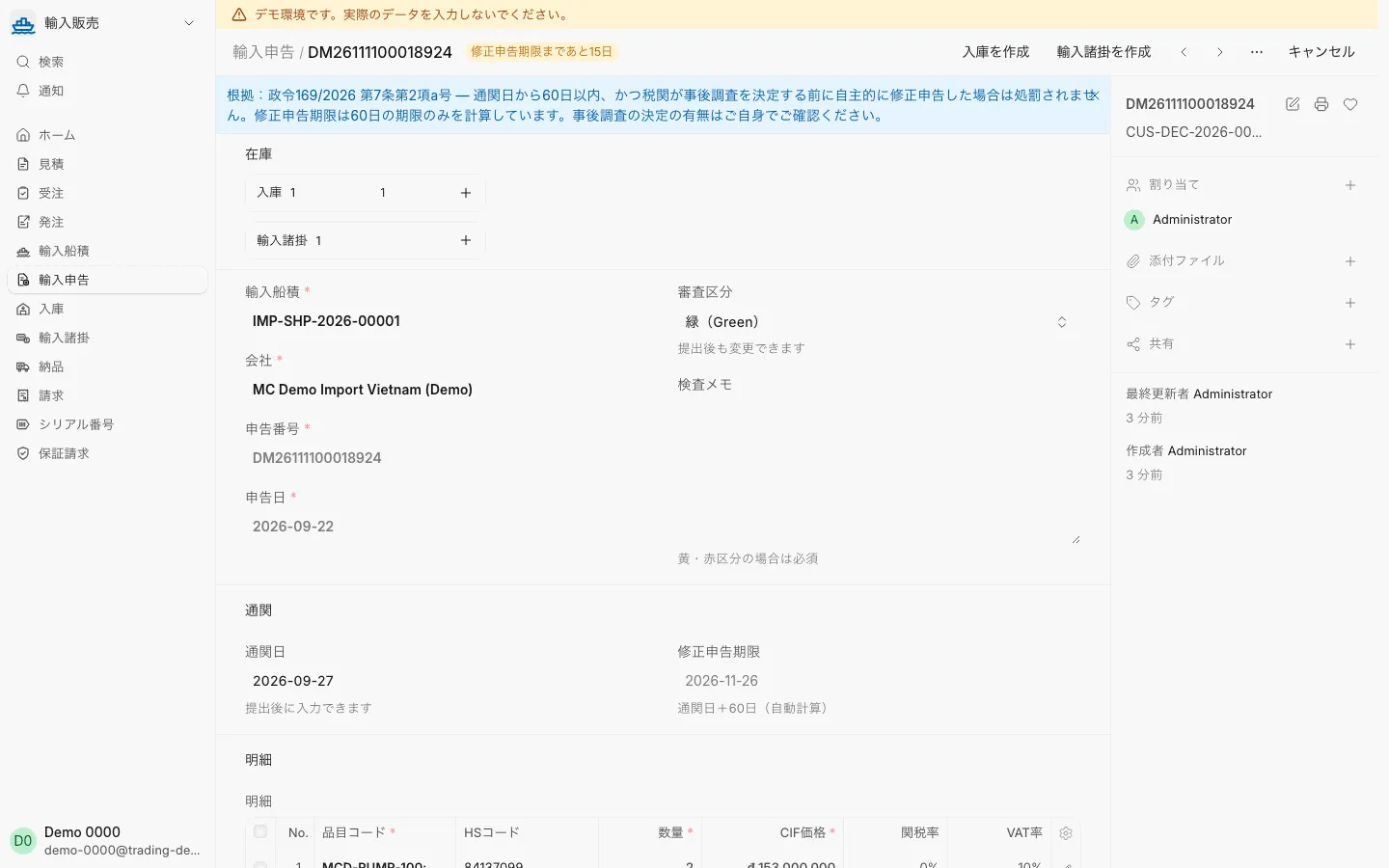
Enter the clearance date and the amendment deadline (clearance date + 60 days) appears.
Receiving
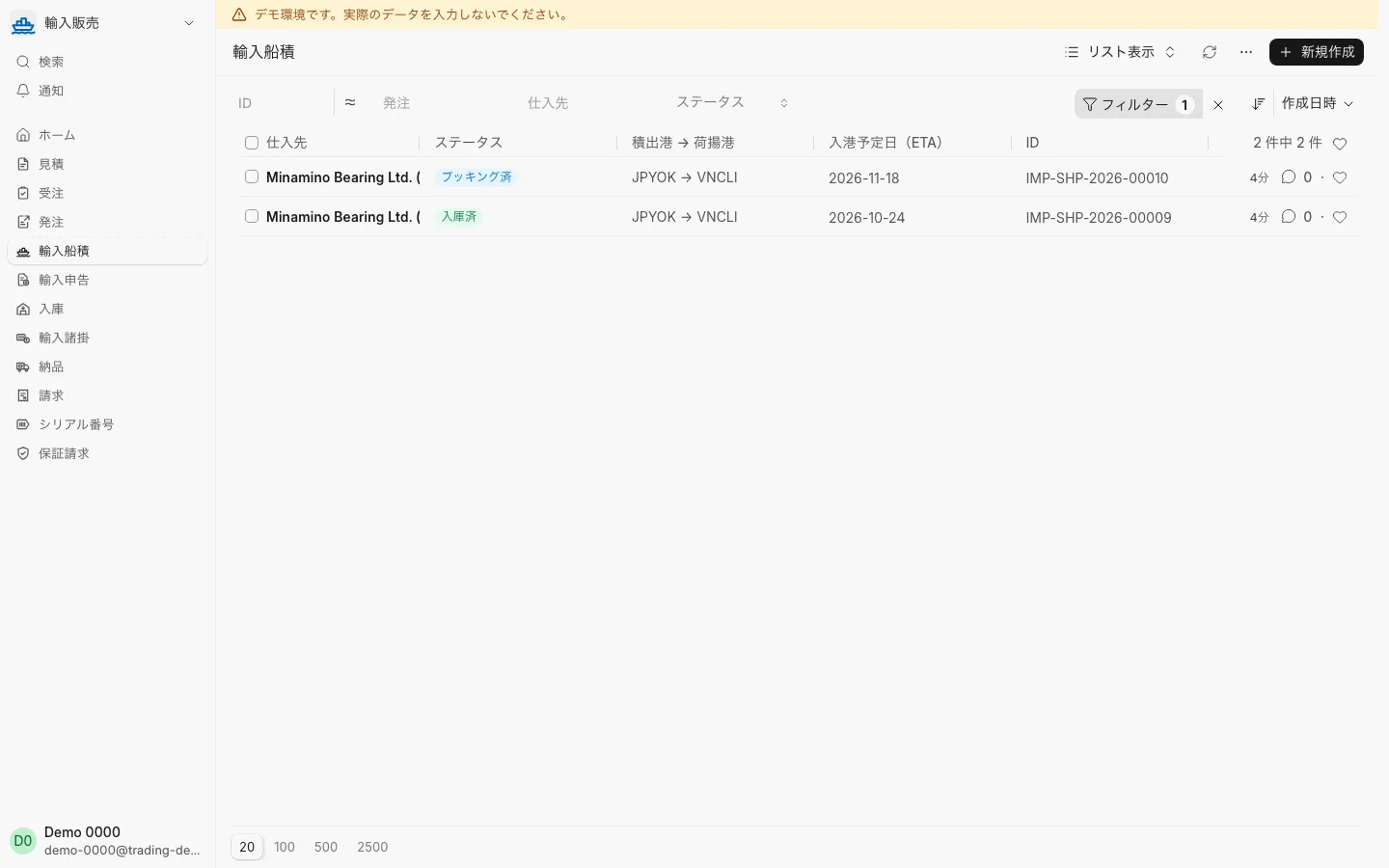
Once received, the import shipment shows as received.
Landed cost
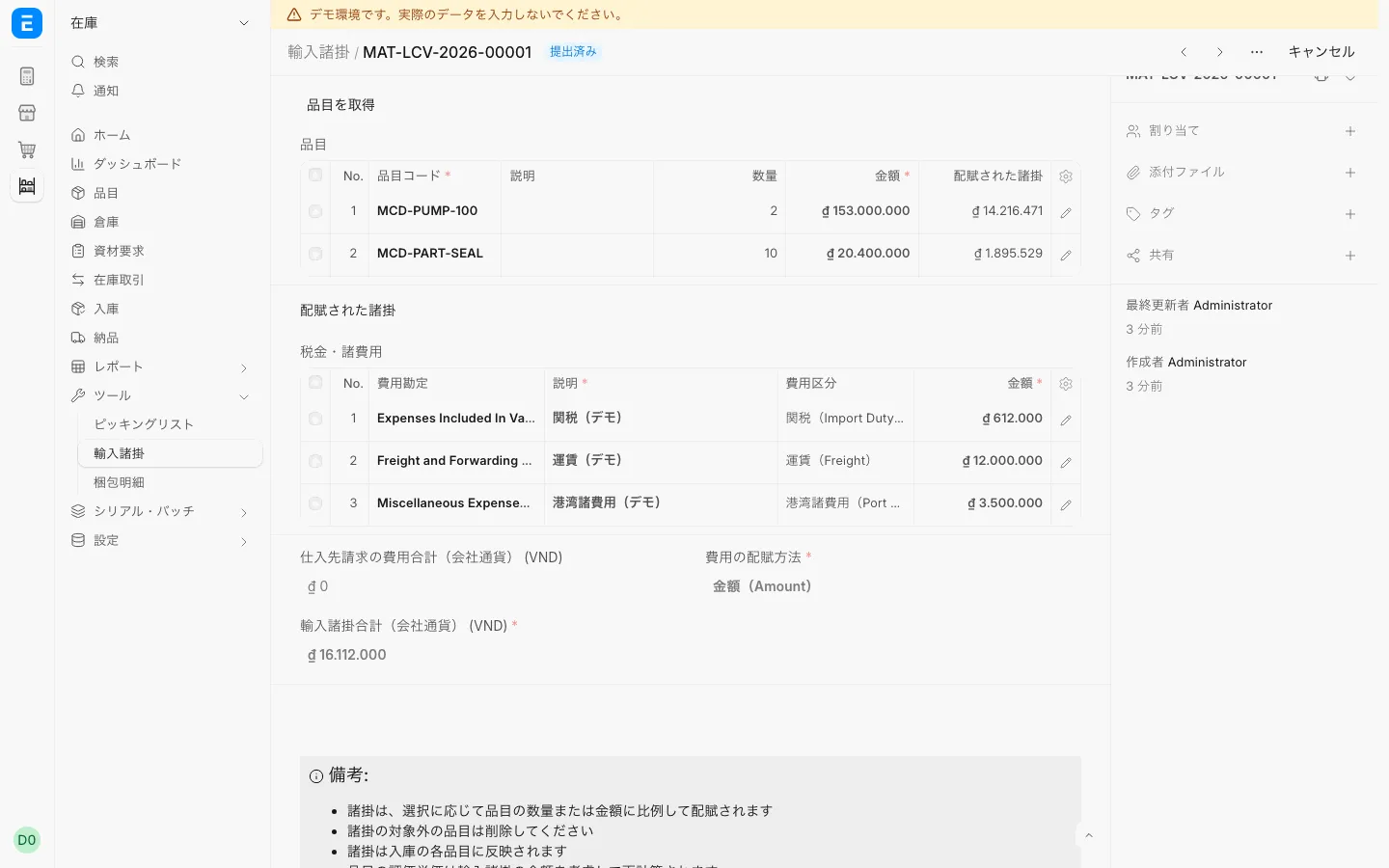
Allocate duty and freight to each item’s cost.
Delivery
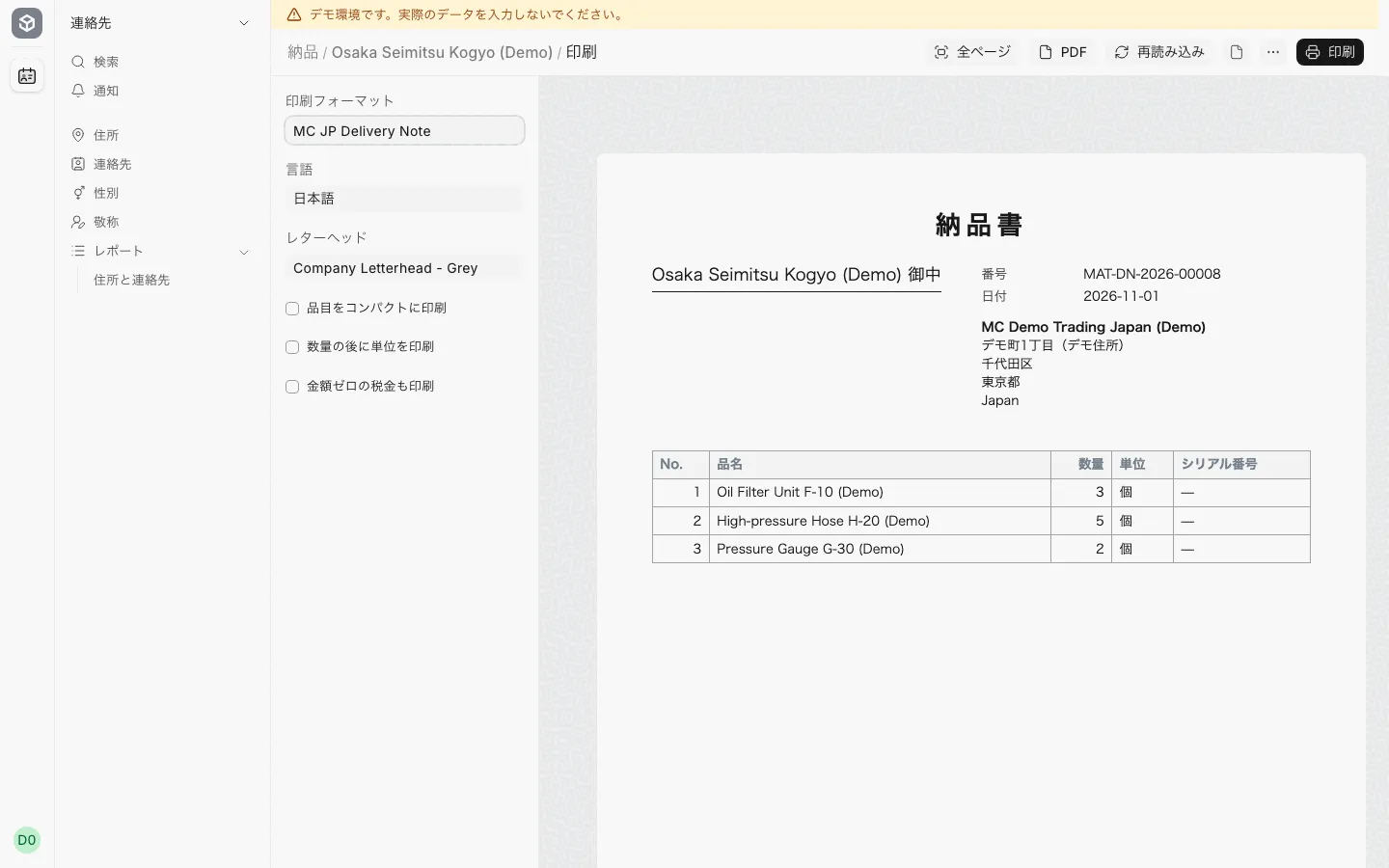
Print an A4 納品書 in a Japanese format from the delivery.
Invoice
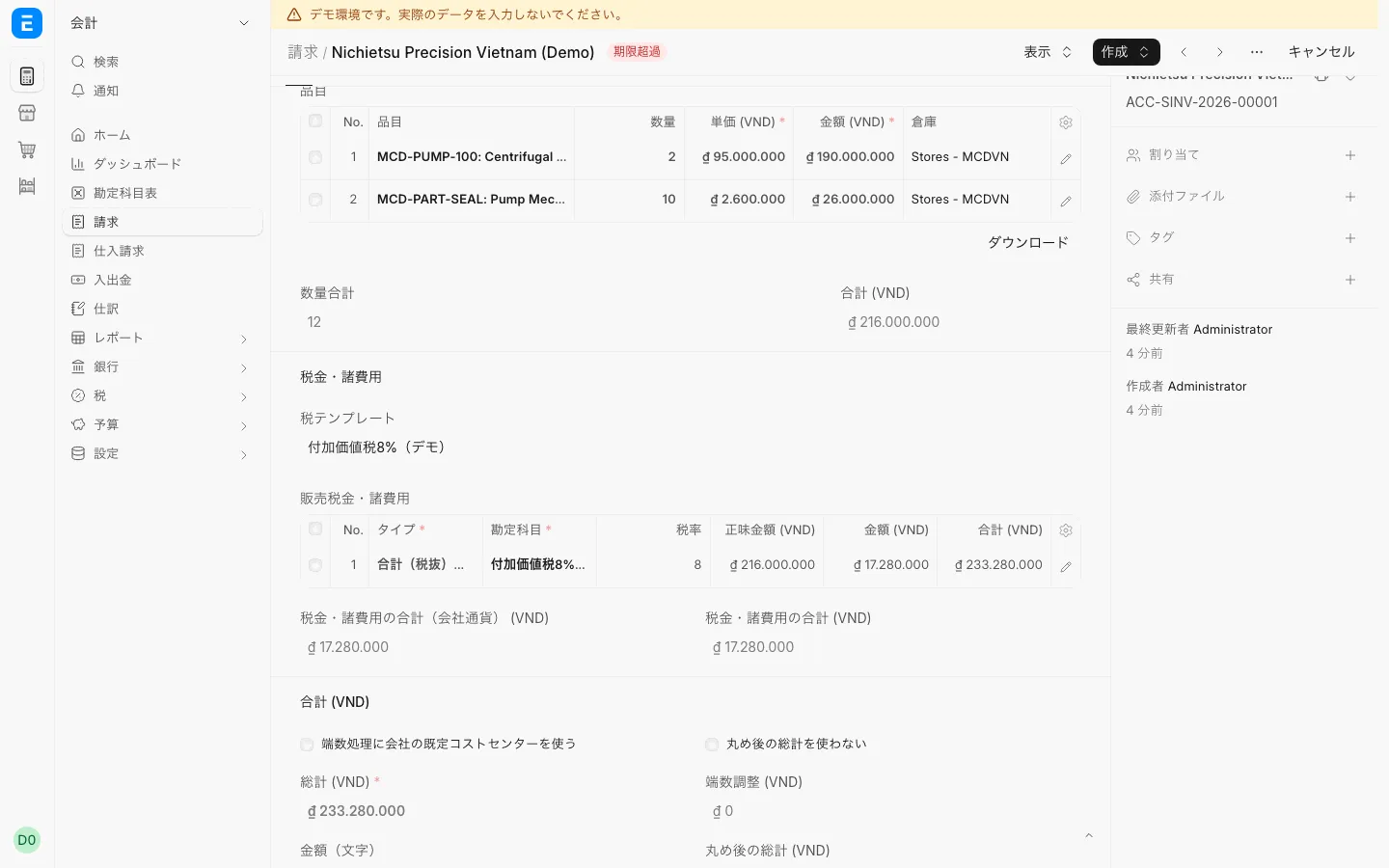
Tax and totals are calculated from the invoice lines and the tax template.
Warranty
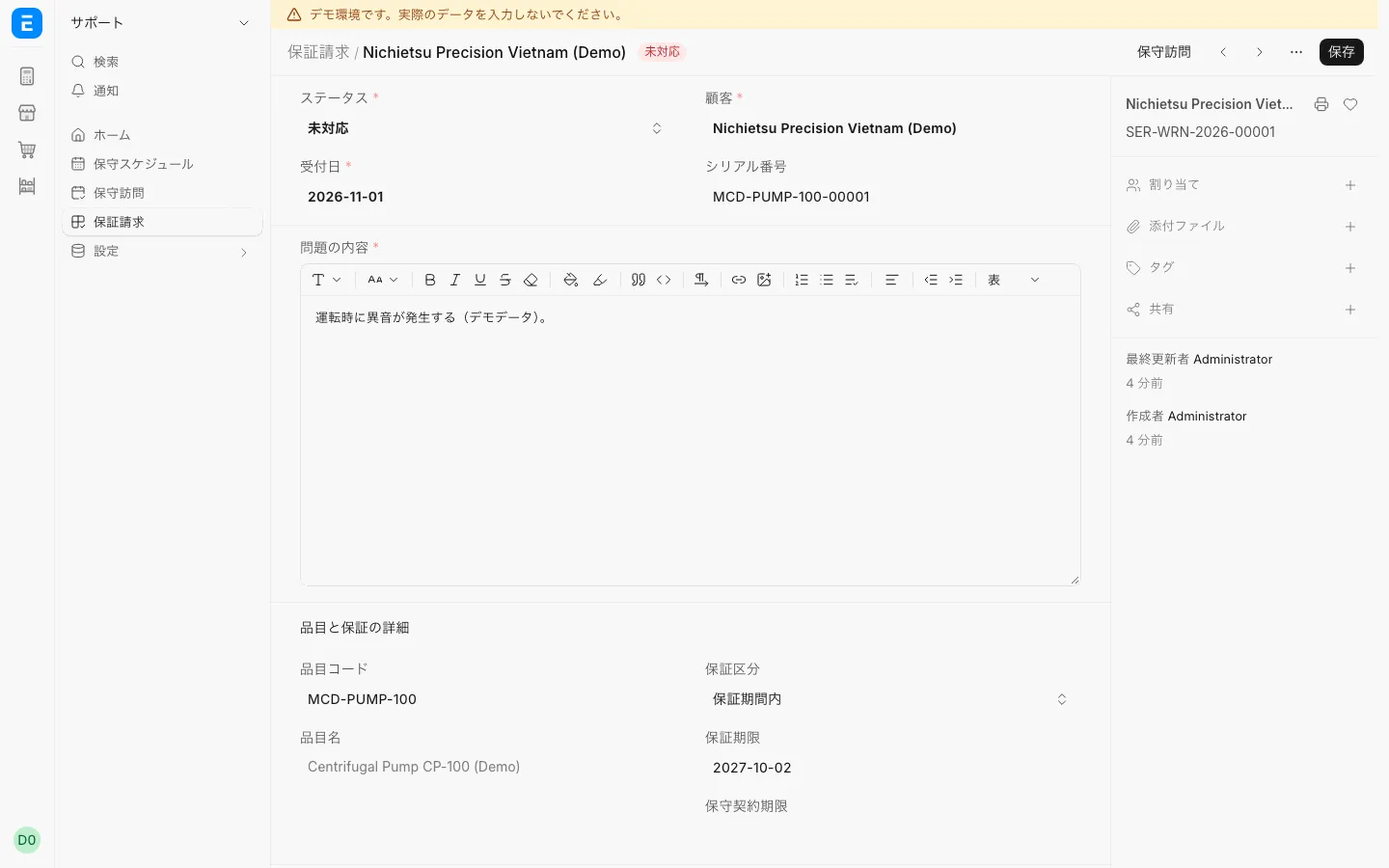
Whether an item is under warranty is decided from its serial number.
Based on an open-source ERP (GPL-3.0), with features added for import and sales.
Japanese and Vietnamese staff see the same documents in their own language and share comments.
Print quotes, delivery notes and qualified invoices in a Japanese format (the demo formats are samples).
Record inspection channels (green, yellow, red), amendment deadlines and HS code approval.
About 3 min read
About 3 min read
M&C ERP is operated by M&Cホールディングス株式会社.
Yes. Screens are shown in Japanese and can be switched to Vietnamese or English; each user chooses their own language.
Companies that import equipment and parts from Japan to Vietnam and sell them. It manages one flow from quotes, orders, purchasing, import and customs to receiving, delivery, invoicing and warranty.
Yes. When you apply through the inquiry form, we send you a demo account you can use for 30 days.
We will contact you within 1 business day (Monday–Friday, excluding Japanese public holidays, Japan time).
There are Japanese-style print layouts for quotations, delivery notes and qualified invoices, which can be output as PDF. The demo layouts are samples.
Duties calculated on the import declaration are already on the import charges document; freight is added there as a line. These are allocated to each item's cost.
An open-source ERP (GPL-3.0). M&C ERP adds import and sales features on top of ERPNext.
Not in the current demo. Vietnam-specific features are outside the demo's scope.